Video 4 - Anime Combat System - Combat Juice - Hitstop, Freeze Frame, Camera Shake
Video 3 - Directional evade + combos work cleanly with input buffering + enemy spawners
Video 2 - Data Driven Hit react system + Directional hit reacts for enemies + soft attack assist system for player + basic AI enemy loop
Video 1 - First pass combo system + weapon based hit detection + damage system
Anime combat system
I started writing a full anime style combat system from scratch in Unreal Engine 5 using only blueprints.
Working solo, I am developing this system to be very optimized and modular. So the system is based on animation montages and data asset driven workflows.
PLATFORM: PC TOOLS: Unreal Engine 5
Built so FAr:
PLAYER COMBAT FRAMEWORK
Combo Selection
Input Buffering
Cancel Windows
Data Asset Attack and Combo setups
Montage driven animation pipeline
Socket based hit detection per weapon
Per weapon damage type and stats
Modular weapon system
Targeting Magnet system to stick player attacks to nearby enemies
ENEMY COMBAT FRAMEwork
Enemy Base BP and BT owns all logic
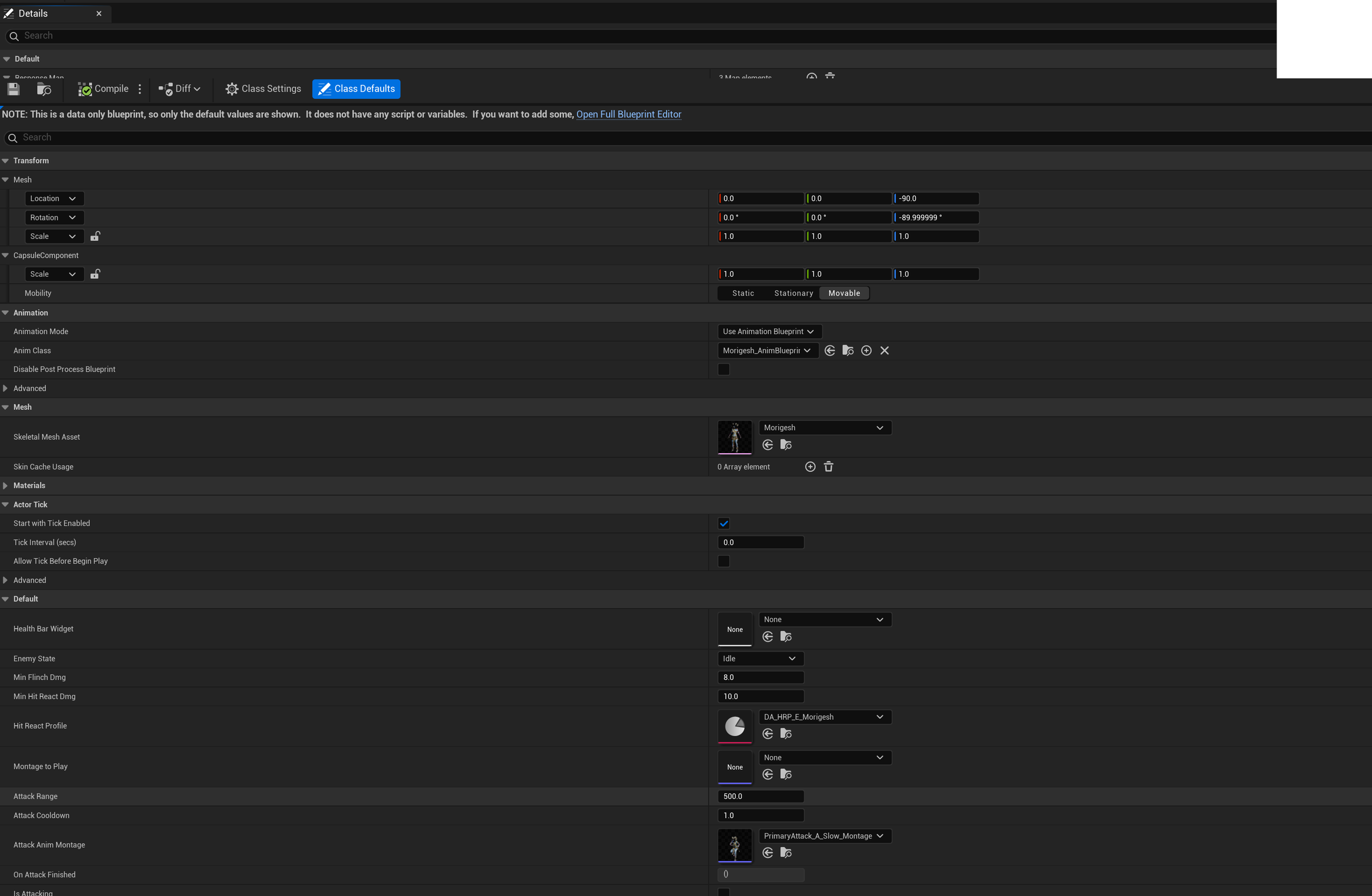
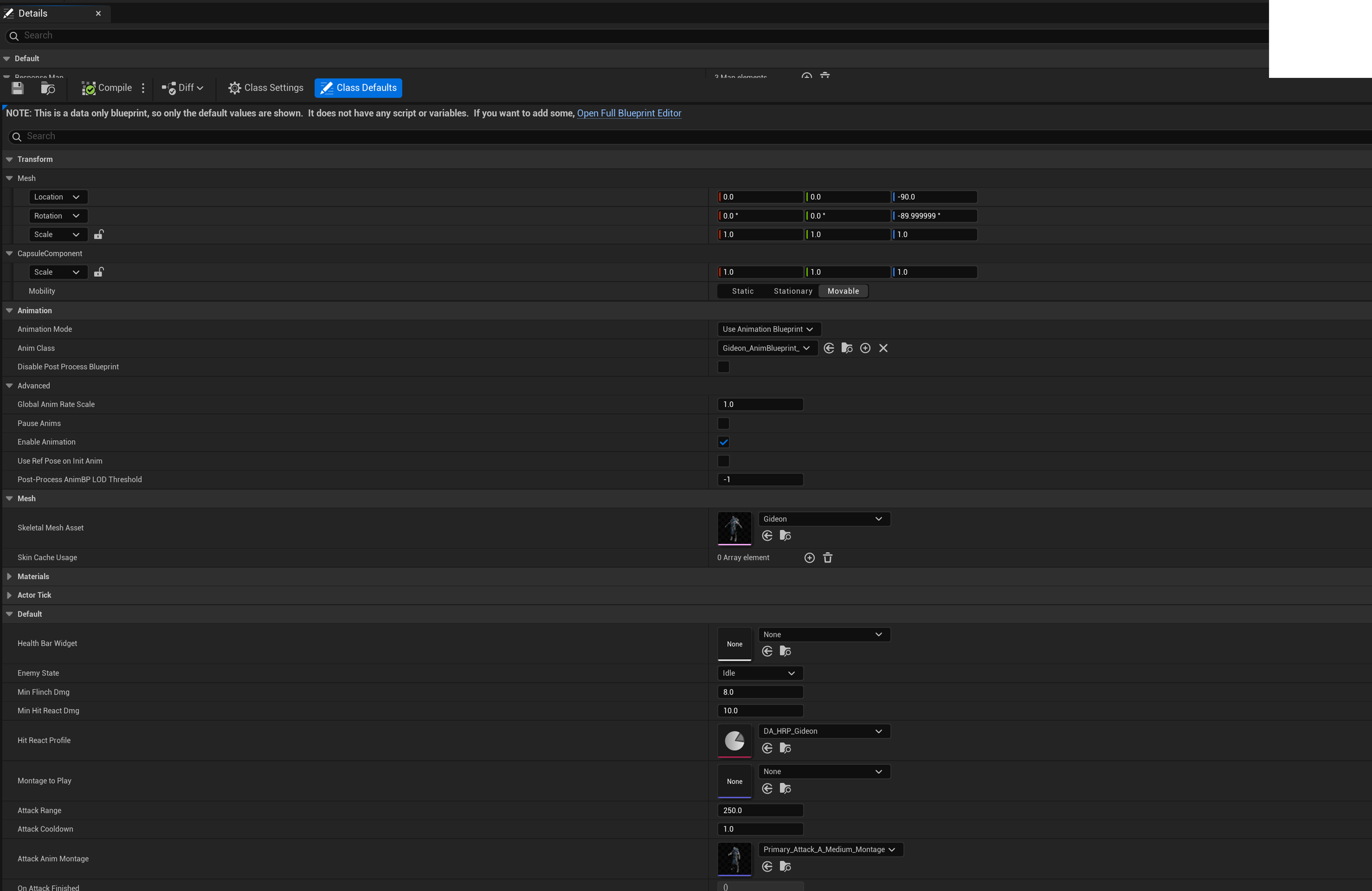
Child enemies are data assets only
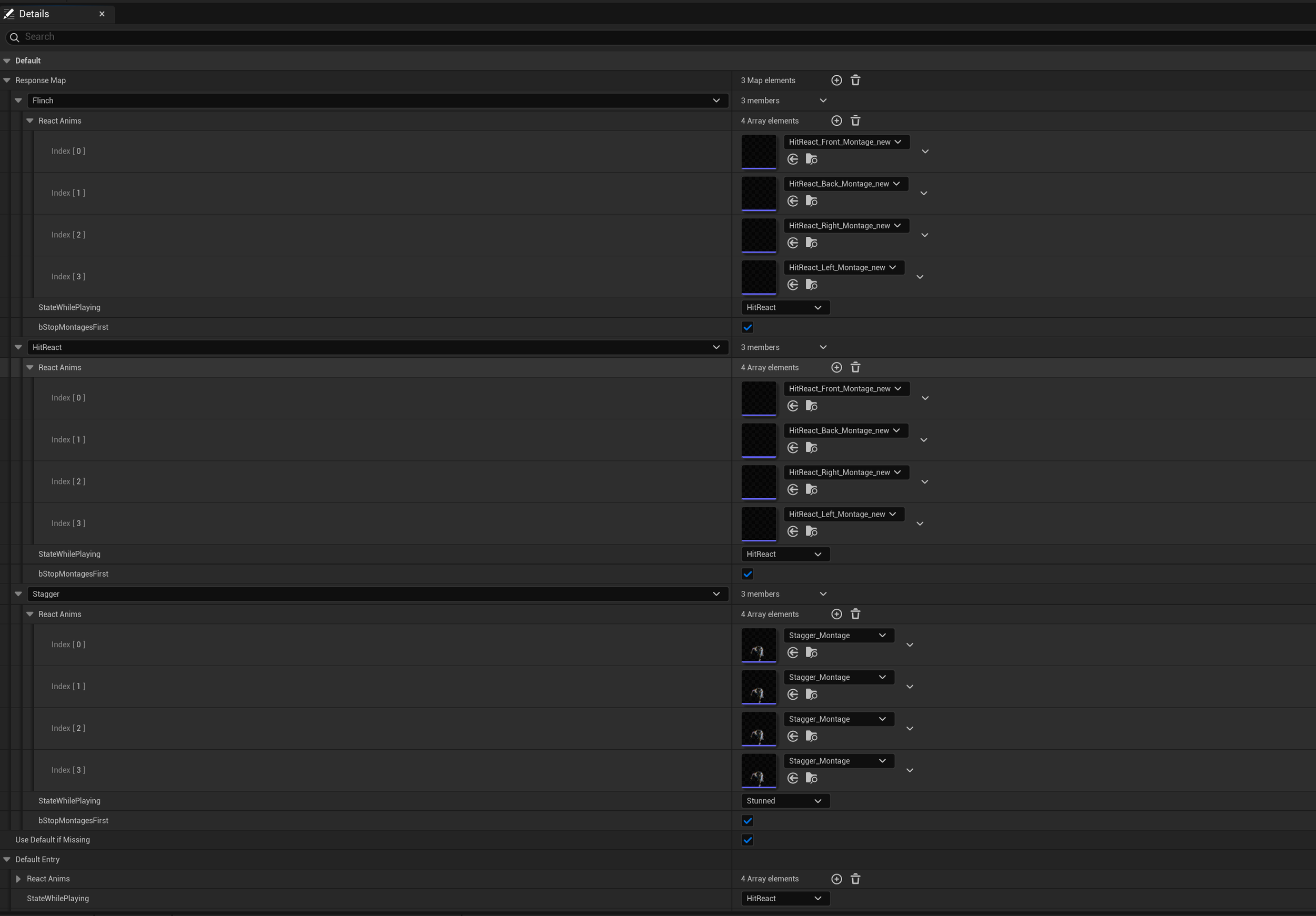
Hit react data asset setup per enemy
Directional Hit Reacts
Core Behavior Tree for all enemies
Combat juice
Hitstop
Freeze frames on finishers
Camera shake on certain attacks
Hit and death VFX
2. Architecture Overview
Design goals for the architecture:
Modular, data-first, minimal per-enemy or player action scripting.
Easy to add player attacks/ combos/ hit reactions/ enemy archetypes using data assets without touching core logic.
Quickly debuggable (debug tools, on-screen state) with centralized player and enemy logic.
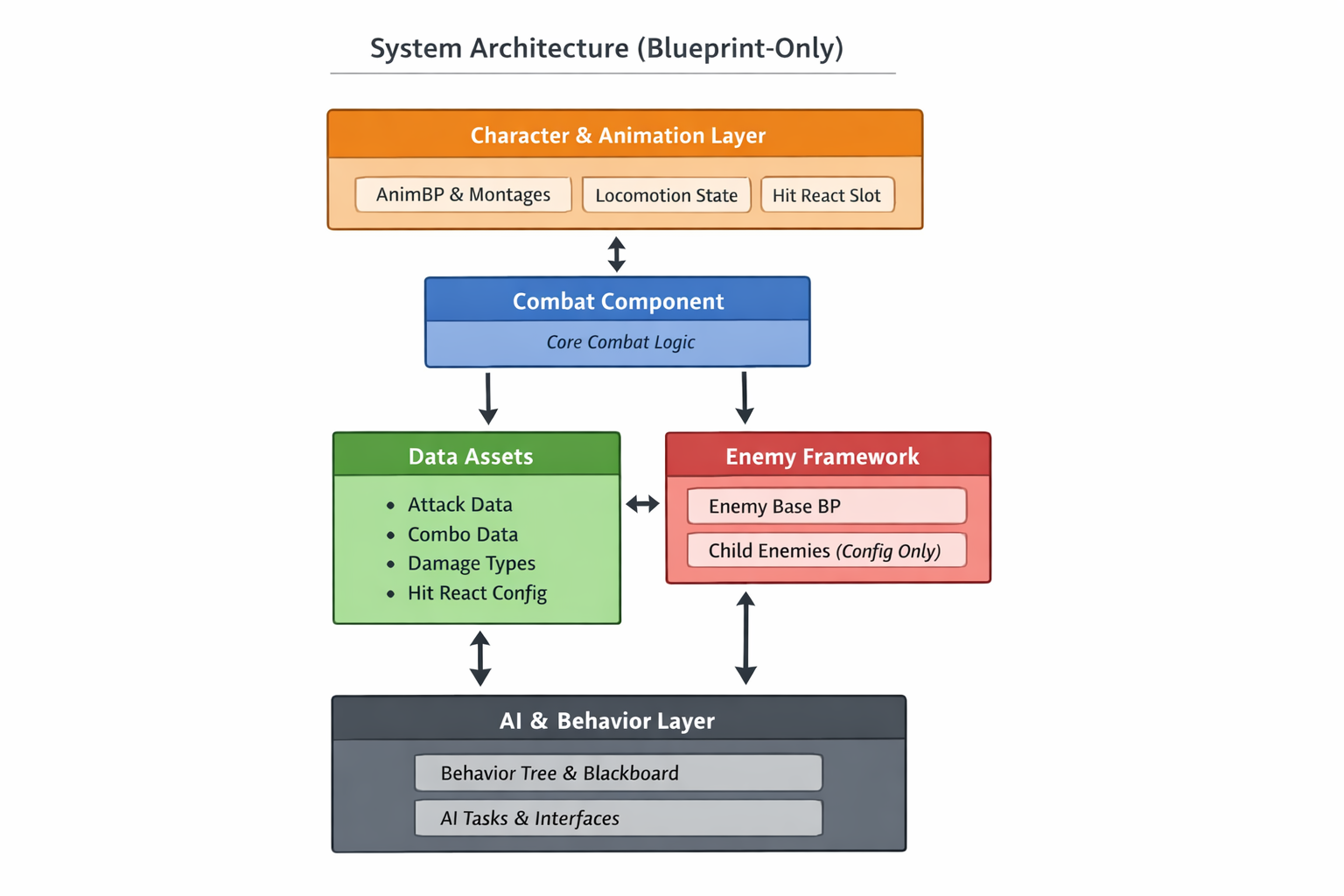
3. DATA ASSET WORKFLOW
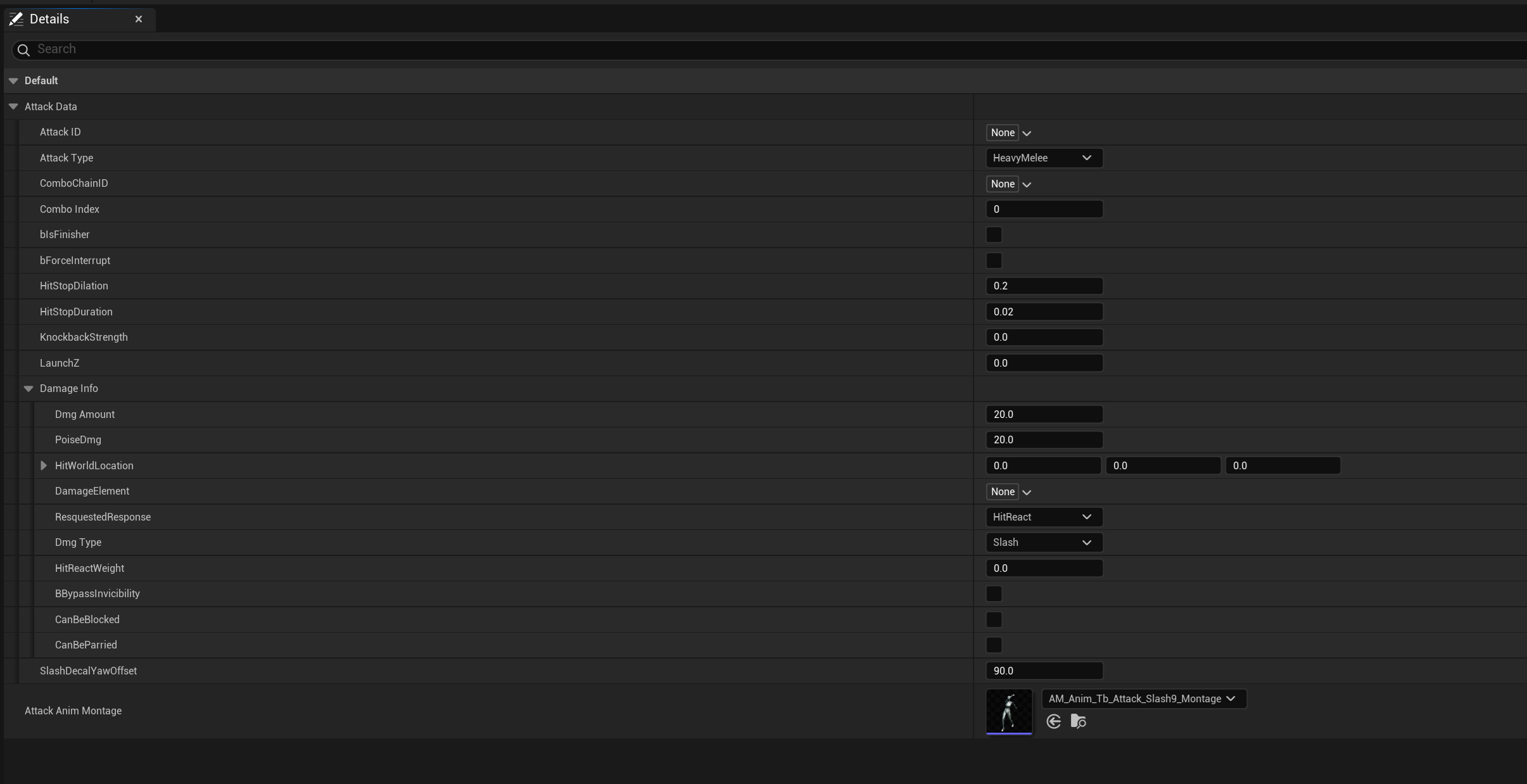
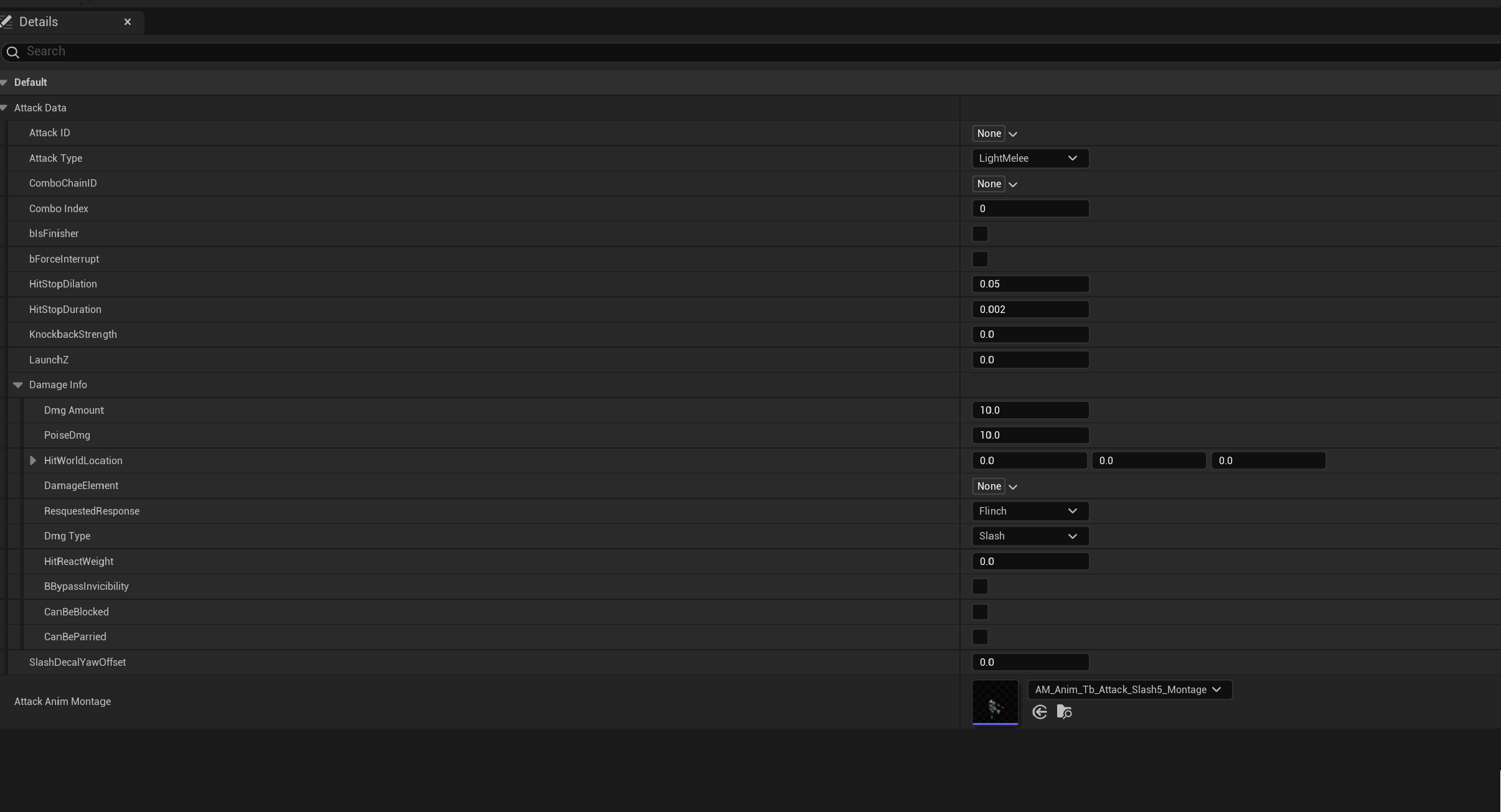
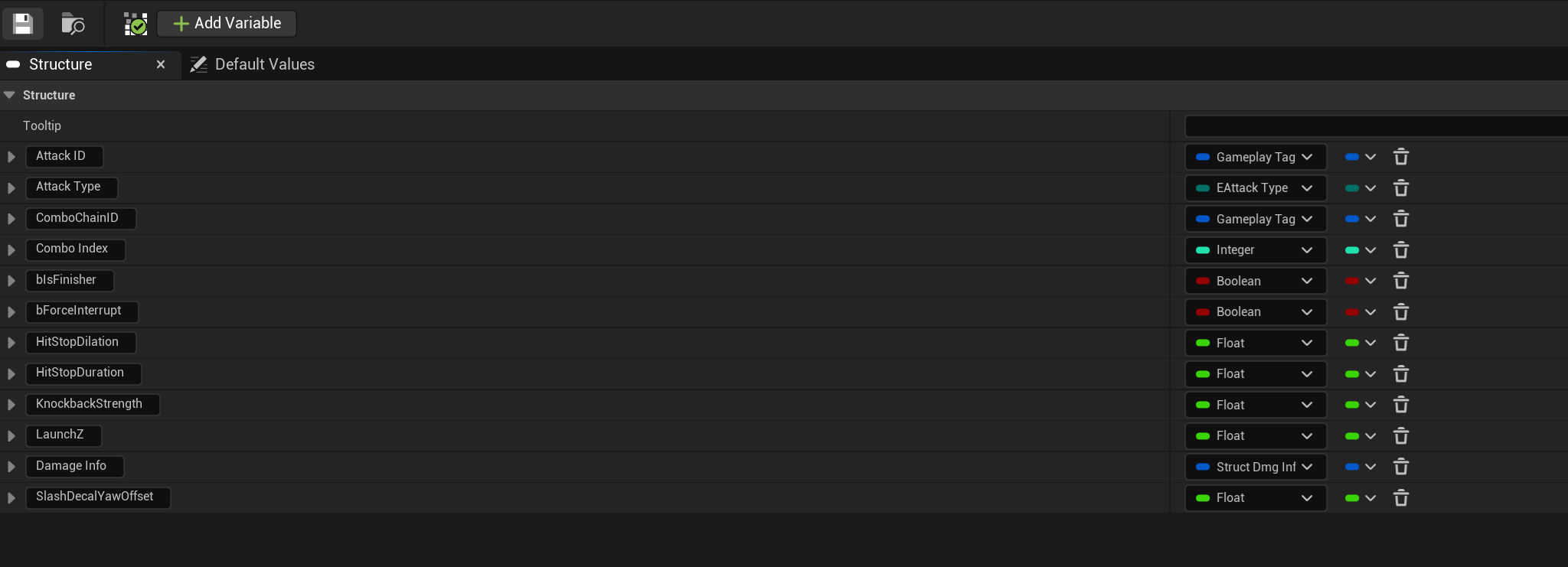
A. Attack Structure and Data assets
Each player attack can be defined with a data asset.
B. COMBO DATA
Each player combo can be made up of multiple Attack data assets as well as other additional data.
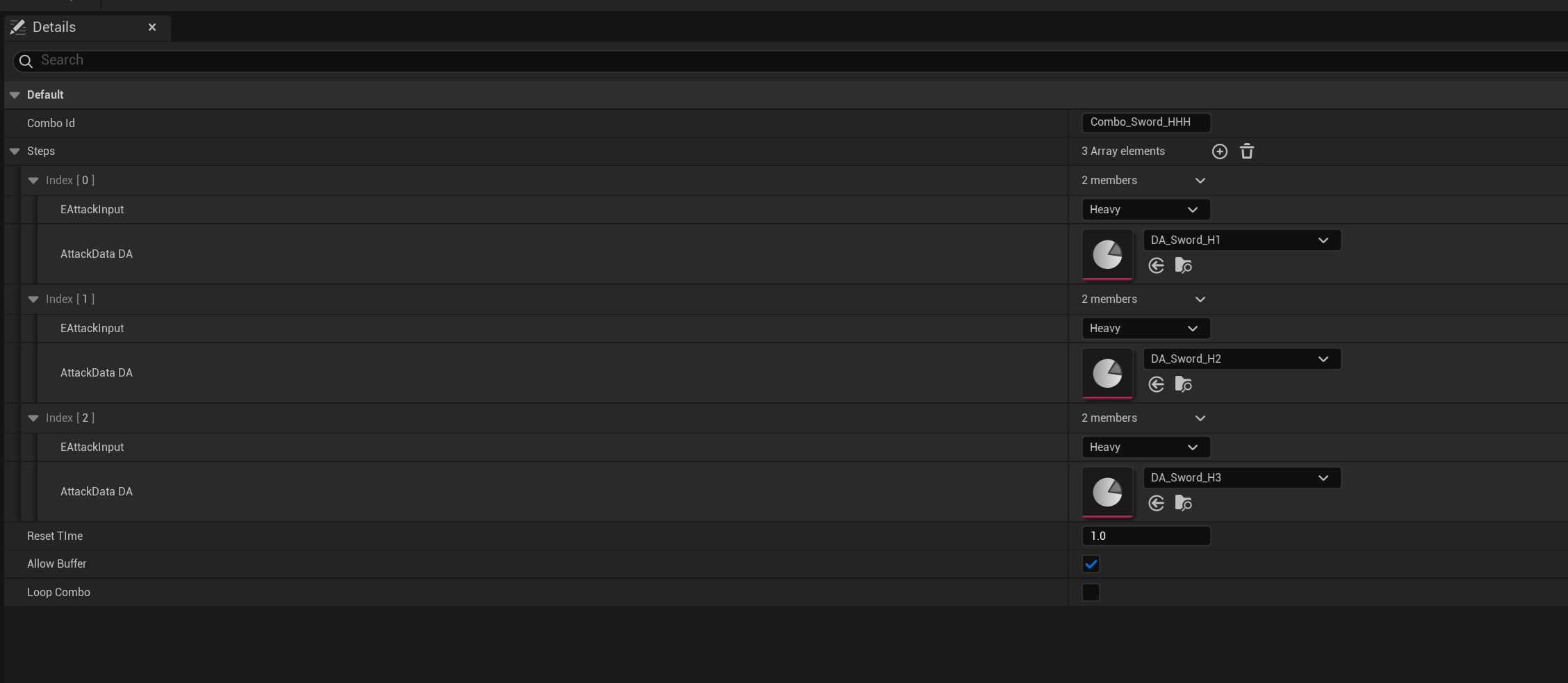
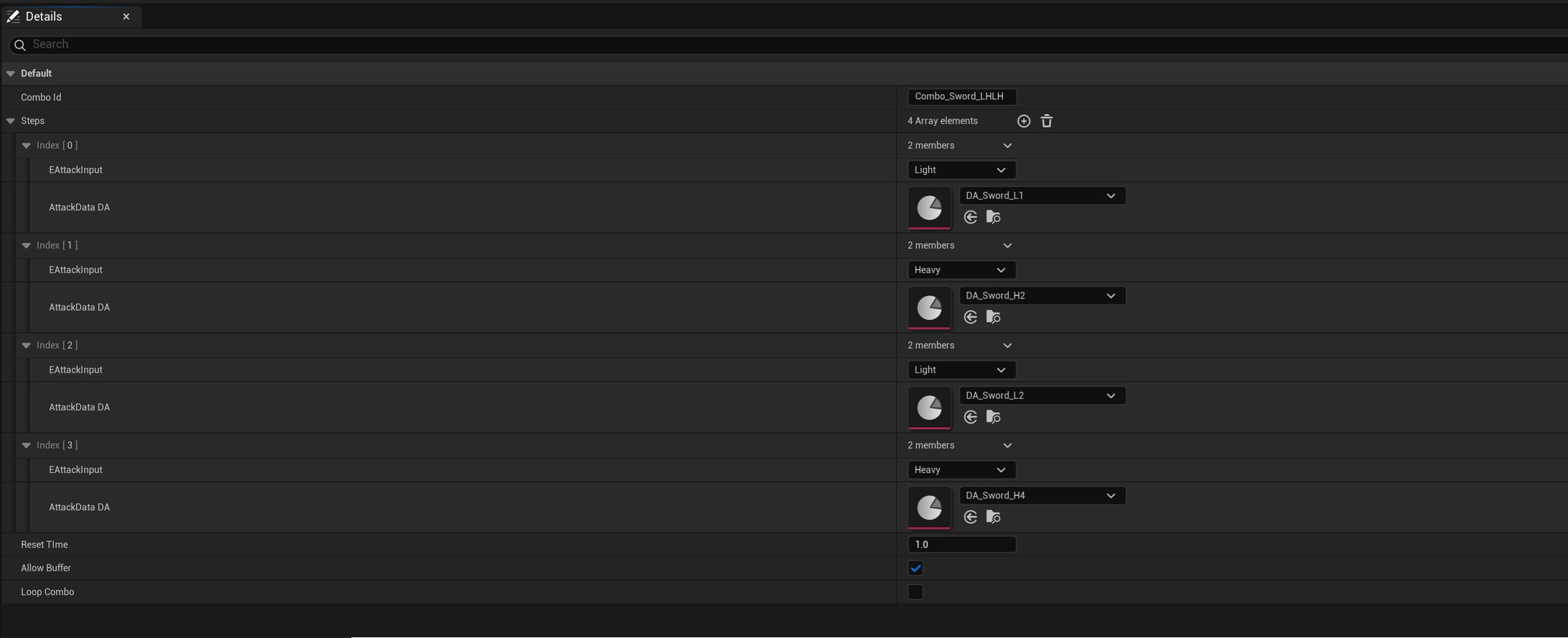
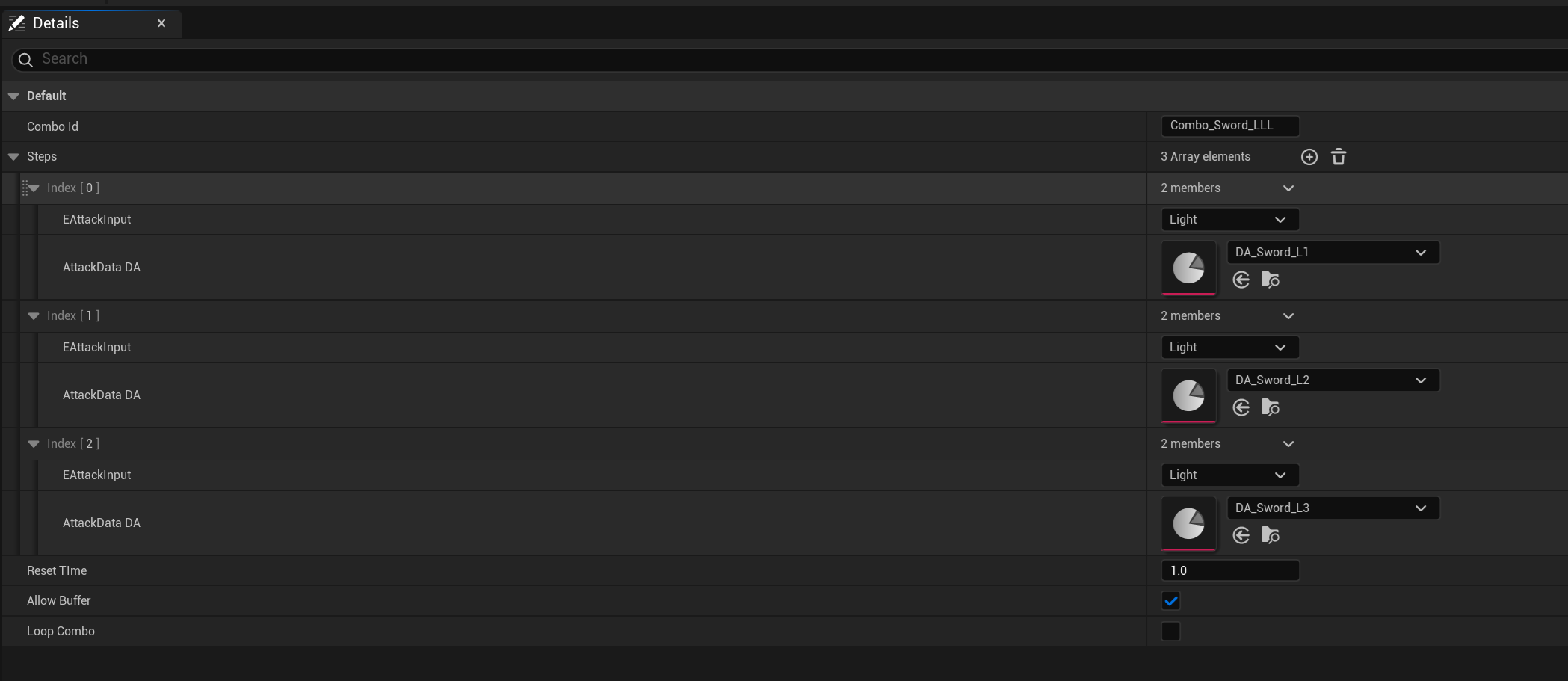
C. HIT REACT DATA
All the enemy hit react animations can be hooked up in a single hit react data asset per enemy. Makes iteration per enemy very fast.
D. ENEMY Data
Setting up each enemy archetype is as simple as creating a child BP of the Enemy Parent BP and tuning some data values.
4. Dev tools
A. Debug enemy spawner
Put together a quick tool for spawning in enemies in the level to quickly iterate on combat.